
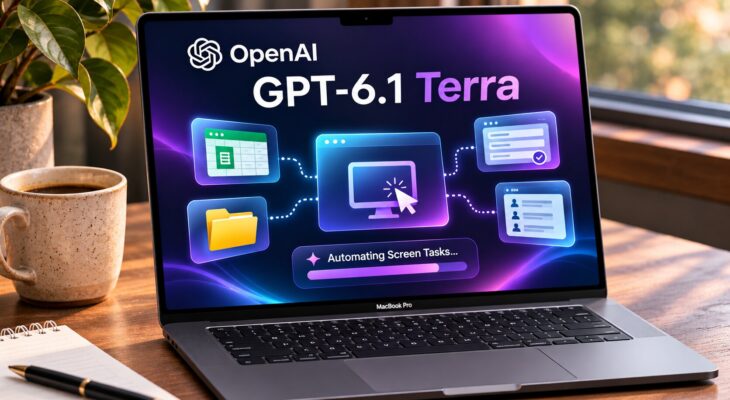

OpenAI now offers several GPT-6 models, and the GPT-6.1 Terra vs Sol question comes up for anyone picking one in ChatGPT Work or Codex. OpenAI released GPT-6.1 Terra on October 26, 2026, as its fast, lower-cost option for screen tasks and writing, while GPT-6.1 Sol targets heavier coding and multistep work. Here is how the two compare, where GPT-6 Astra fits, and how to test Terra on a real everyday task.
GPT-6.1 Terra vs Sol: which should you use?
Choose GPT-6.1 Terra for screen-based tasks, visual analysis, routine admin work and writing, where speed and cost matter most. Choose GPT-6.1 Sol for complex coding, debugging and demanding multistep professional tasks that need stronger reasoning. For advanced research or hard technical decisions, OpenAI positions GPT-6 Astra as its highest-capability option.
The three models side by side
The source guide sums up OpenAI’s current lineup in one simple comparison:
| Model | Best suited for | Main advantage |
|---|---|---|
| GPT-6.1 Terra | Screen-based tasks, visual analysis, routine administrative work, writing | Fast and cost-efficient |
| GPT-6.1 Sol | Complex coding, debugging, multistep professional tasks | Stronger reasoning for demanding workflows |
| GPT-6 Astra | Advanced research, scientific problems, difficult technical decisions | OpenAI’s highest-capability reasoning option |
The rule of thumb is to match the model to the job. Renaming a folder of invoices does not call for a powerful reasoning model, while building a complex app might.
Where Terra wins: speed and price
Terra’s two big selling points are measurable, at least in OpenAI’s own numbers. According to OpenAI’s GPT-6.1 Terra announcement, Terra’s standard API prices are 50% lower than those of GPT-5.6 Terra and GPT-6.1 Sol. OpenAI also says Terra completed tasks more than three times faster than GPT-6 Astra and GPT-6.1 Sol on its computer-use evaluations.
Those results come from OpenAI’s testing, so real-world performance depends on the software, the task and the connected tools. Still, for repetitive clicking, typing and sorting, faster and cheaper adds up quickly.
Terra’s API pricing in numbers
For developers, OpenAI lists Terra’s standard pricing at $1 per million input tokens and $5 per million output tokens, with separate cached-input pricing, on its GPT-6.1 Terra model page. API billing is separate from ChatGPT subscriptions, and some tools may carry extra charges.
Where Sol wins: deeper reasoning
Sol is the better pick when a task needs careful thinking more than fast hands. The source lists complex coding, debugging and multistep professional tasks as its strengths. If you are working through a tricky bug or a long chain of dependent steps, the extra reasoning is worth the higher cost. Our look at how AI influences the future of coding explores why that kind of work rewards stronger models.
What does Terra’s computer use add?
Terra is built for visual reasoning, writing and computer use. With supported computer-use tools, it can interpret on-screen information, navigate menus, enter text and operate app controls. That makes it a natural fit for everyday digital chores:
- Entering spreadsheet contacts into a customer relationship management (CRM) form, skipping incomplete records.
- Renaming messy invoice files into a clean YYYY-MM-DD_Vendor_Amount.pdf format and sorting them by month.
- Filling the same online supplier or service-request form from an approved spreadsheet.
In each case the source recommends stopping before final submission so a person checks the work.
How to try Terra in a few minutes
Open the ChatGPT desktop app on Windows or macOS and choose Work, or Codex for code. Terra is not in the standard Chat experience. Select GPT-6.1 Terra from the model options; if it is missing, your plan, workspace or admin settings may not include it. If you already use the app, our guide to the search feature on the ChatGPT desktop app is a handy refresher on its layout.
Give Terra only the folder or app the job needs, ideally a folder of file copies. Then describe the task in plain words: which files, what details, how to organize them and what to do when something is unclear.
Keep a human on the final click
Ask Terra to prepare work but wait for you before it sends messages, submits forms, deletes originals or makes purchases. Test five or ten items before a full batch. Terra can stumble when a site layout changes, a document is blurry, an app asks for extra sign-in, or the data lives outside the allowed workspace.
A quick decision guide
- Pick Terra for routine screen work, visual checks, document handling and writing on a budget.
- Pick Sol for complex coding, debugging and long multistep professional tasks.
- Pick Astra for advanced research, scientific problems and difficult technical calls.
- Consider an API integration for processes that repeat hundreds of times, since direct integrations may be more dependable than screen interaction.
Want more tools in the same spirit? See our roundup of AI tools that give you an unfair advantage.
Key takeaways
- In the GPT-6.1 Terra vs Sol choice, Terra is fast and cost-efficient; Sol brings stronger reasoning.
- OpenAI reports Terra’s standard API prices are 50% lower than GPT-6.1 Sol and GPT-5.6 Terra.
- OpenAI’s computer-use evaluations showed Terra finishing tasks over three times faster than Sol and Astra.
- GPT-6 Astra is OpenAI’s highest-capability option for advanced research and hard technical problems.
- Terra runs in ChatGPT Work, Codex and the OpenAI API, not standard Chat.
FAQ
Is GPT-6.1 Terra cheaper than GPT-6.1 Sol?
Yes. According to OpenAI, Terra’s standard API prices are 50% lower than those of GPT-6.1 Sol and GPT-5.6 Terra. Terra’s listed API rate is $1 per million input tokens and $5 per million output tokens, with separate cached-input pricing. ChatGPT plan access is billed separately from the API.
Is GPT-6.1 Terra faster than Sol?
On OpenAI’s own computer-use evaluations, Terra completed tasks more than three times faster than GPT-6.1 Sol and GPT-6 Astra. Those are benchmark results from OpenAI, so actual speed in your workflow will depend on the software involved, the complexity of the task and the tools you connect.
When should I switch from Terra to Sol?
Switch when the task needs deeper reasoning than routine screen work. The source guide recommends Sol for complex coding, debugging and multistep professional tasks. If Terra keeps missing the logic of a problem, rather than just the clicks, moving the job to Sol is the sensible next step before considering Astra.
Can I use GPT-6.1 Terra in regular ChatGPT?
No. Terra is available through supported ChatGPT Work and Codex experiences and through the OpenAI API, not standard Chat. Availability also depends on your plan and workspace, and organization admins may restrict some models. Use the ChatGPT desktop app on Windows or macOS to work with local files.
This comparison is based on Article #784, “How to Automate Screen Tasks with OpenAI’s GPT-6.1 Terra.” Check OpenAI for the latest model details and pricing.